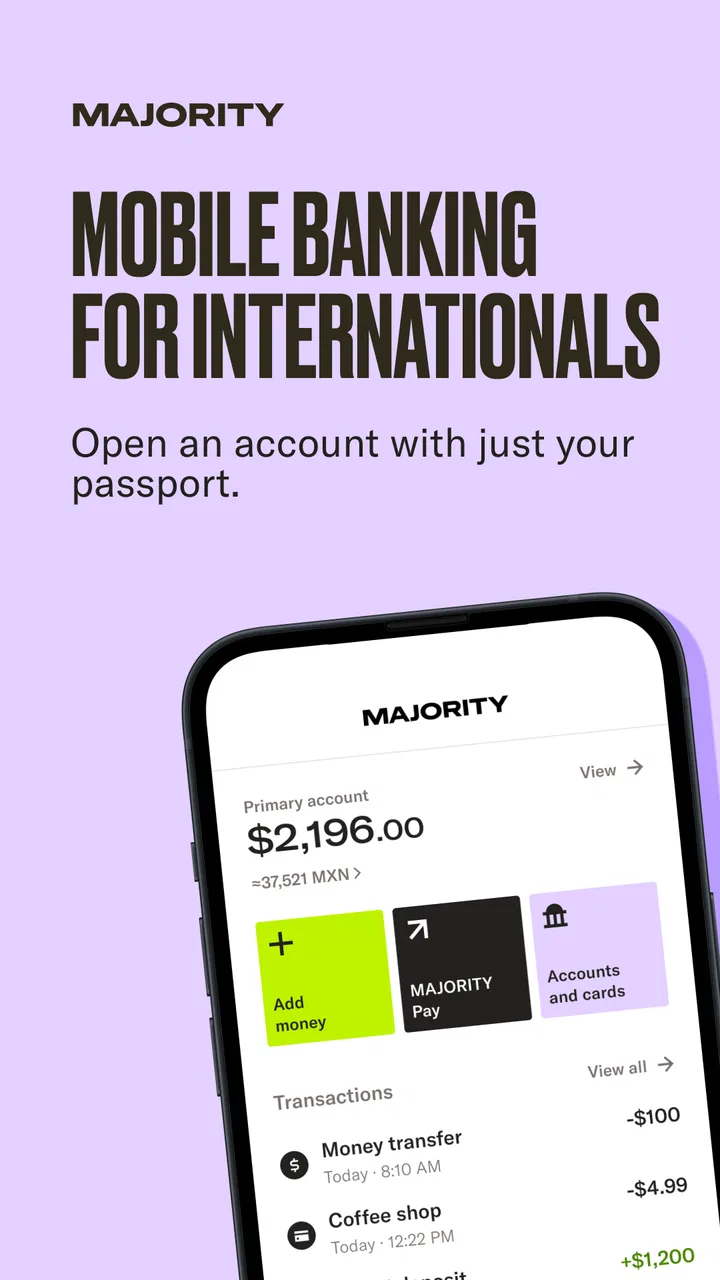
MAJORITY: Mobile banking
- 4.7
- Rating
- 1.00M
- Installs
- Free
- Price

 Analysis by App-foxy
I approached MAJORITY as a practical finance app rather than a replacement for every banking service. Its main appeal is simple: it brings a US account and debit card into one mobile experience, while also focusing on sending money home, staying connected, and building credit. That combination makes it especially relevant to people managing life between countries or trying to organize everyday spending from a phone.
The app is free, aimed at Everyone, and developed by MAJORITY USA, LLC. It has grown into a widely used service, with over a million installs and a 4.7 average from around 23 thousand ratings. Those figures suggest a mature product, but they do not remove the need to look closely at how it fits your routine. In my experience, the value comes less from opening the app occasionally and more from building a repeatable workflow around its account, card, transfers, and credit-related tools.
How I would build a dependable everyday workflow
The first useful step is deciding what job the app will handle. If I use it as a focused account for incoming money, card spending, and transfers to family, the layout feels easier to understand. If I expect it to replace a full-service bank, investment platform, budgeting suite, and international transfer specialist at the same time, the experience becomes less convincing.
You May Also Like

 Blood Strike: 2.5 Anniversary
Blood Strike’s Loadouts Turn Every Drop Into a Tactical Gamble
A close look at Blood Strike’s custom loadouts: how fast access to signature weapons reshapes its battle royale rhythm, rewards preparation, and narrows the gap between fights.

 Pandora - Music & Podcasts
Pandora’s Music Is Easy to Start, but Harder to Recover
Pandora’s strength is its low-effort path from a seed to a station. Its weak spot is how much confidence it asks you to place in connection, setup, and quiet recovery.

 8 Ball Pool
 Is Built on Rivalries, Rematches, and Routine
A close look at the rivalries, rematches, shared routines, and unanswered safety questions that turn a quick pool match into a persistent mobile community.

 Samsung Music
’s Quiet Strength Is Playing What You Already Own
Its reach comes less from spectacle than from dependable access to a personal library. That simplicity is both the app’s strongest retention engine and its ceiling.

 AccuWeather: Weather Radar
AccuWeather Review: A Quick, Clear Forecast for Everyday Decisions
For everyday plans, the best forecast is the one you can understand quickly. AccuWeather makes rain timing, radar, and local conditions easy to act on, with a few trade-offs.

 Hill Climb Racing
Why Hill Climb Racing Still Turns Crashes Into One More Run
A tiny car, a bumpy hill and one more upgrade: Hill Climb Racing keeps resurfacing because its simple chaos makes every near-miss feel personal.
More From Our News Desk



The store summary highlights a US account and debit card without an SSN, along with sending money home and building credit. That positioning gives the app a clear audience, particularly users who may find traditional account-opening processes difficult or who want one place for financial tasks connected to relocation and family support. I would still treat account access as a process rather than an instant shortcut: keep personal details consistent, read each verification screen carefully, and make sure the name used for transfers matches the recipient’s information.
My baseline routine would begin with checking the account balance before using the debit card, then reviewing recent activity after purchases. This sounds obvious, but it prevents a common mistake with mobile finance apps: assuming that a pending card transaction and the final posted amount are the same thing. I would also set a regular moment to review transfers, especially when money is being sent to someone else. A quick check after each important transaction is more useful than trying to reconstruct everything at the end of the month.
The debit card is most useful when I give it a defined role. For example, I might use it for groceries, transport, and recurring daily purchases while keeping other financial obligations elsewhere. This separation makes the account easier to monitor. It also creates a practical boundary: if the balance looks lower than expected, I can inspect a smaller set of transactions rather than searching through every account I own.
A realistic scenario would be a worker who receives money into the account, uses the card during the week, and sends part of the available balance to family abroad after payday. The safest habit is to leave room for pending spending before initiating the transfer. Sending the entire visible balance can create stress if a card payment has not fully settled. I would first review recent purchases, reserve money for essential expenses, and only then send the amount intended for home.
This is also where the app’s communication-oriented identity matters. Sending money is not just a button press; it is a commitment to a recipient and a schedule. I would confirm the destination, amount, and timing every time, even when sending to the same person. Repeating a familiar transaction too quickly is exactly when a typing error or an outdated recipient detail can slip through.
The account works best when I give each feature a clear job
One of the less obvious strengths of a combined finance app is reduced switching. I do not need to move between a conventional bank for card spending, a separate service for family transfers, and another tool for basic credit-related activity every time I manage money. That convenience is meaningful for someone who values a single mobile workflow.
The trade-off is that convenience can encourage overconfidence. I would not assume that every transfer is instant, that every card transaction is immediately final, or that a credit-building feature automatically improves a person’s financial position. The app can support better habits, but it cannot replace checking balances, understanding repayment responsibilities, or keeping emergency funds available.
For someone new to US financial services, the account may feel more approachable than a traditional bank interface. For an established customer who already has a checking account, a credit card, a dedicated remittance service, and a mature budgeting system, the benefit is less obvious. In that case, MAJORITY may be useful as a specialized secondary account, but moving everything into it may not simplify life.
Settings and account details worth checking early
I would spend time reviewing the profile and account sections before making the first important transfer. The goal is not to change every option; it is to understand which contact details, account identifiers, card controls, and transaction records are available. Knowing where these items live saves time when a recipient asks for confirmation or when I need to investigate a payment.
Security deserves practical attention. I would use a strong device passcode, keep the phone’s operating system current, and avoid signing in on a shared device. I would also check how the app presents account alerts and transaction activity, because timely awareness is more valuable than discovering an unfamiliar charge days later. A finance app is only as useful as the habits surrounding it.
When using the debit card, I would look for any available controls related to card access and review them before traveling or lending the phone to someone else. I would not rely on memory for card details. If the app provides a way to inspect card information or account activity, I would use the in-app record rather than keeping sensitive numbers in an unsecured note.
Another setting-related habit is keeping personal information current. A changed phone number, address, or email can become a problem at the worst possible moment, particularly when account verification or transfer communication is involved. Updating details promptly is a small task that protects the rest of the workflow.
The no-SSN positioning may be important to people who are excluded from familiar banking routes, but I would not interpret it as “no checks” or “no responsibilities.” Financial services still require accurate identity and account information. I would read the prompts carefully and answer them consistently instead of rushing through setup simply because the opening message sounds accessible.
Small shortcuts that make repeated tasks safer
Experienced use is mostly about reducing avoidable decisions. I would create a personal checklist for sending money: confirm the recipient, verify the amount, check the available balance after pending purchases, and save the confirmation or transaction record where appropriate. This takes only a few seconds once it becomes automatic, yet it protects against the most common everyday errors.
I would also choose a regular transfer day rather than sending money impulsively whenever I remember. A weekly or payday routine makes it easier to plan card spending and avoid draining the account unexpectedly. The right schedule depends on income and family needs, but the principle is consistent: predictable transfers are easier to audit than scattered ones.
For card spending, I would group purchases mentally into essential and flexible categories. If the account is mainly for living expenses, I can check whether flexible spending is crowding out an upcoming transfer. If it is mainly for family support, I can avoid treating the available balance as disposable money. This use of the app is not a built-in budgeting feature; it is a workflow I can apply using the account activity already in front of me.
Another useful pattern is separating “money received” from “money ready to send.” When funds arrive, I would wait until I have accounted for pending card charges and immediate bills. Only the remainder should be considered transferable. That distinction is easy to overlook in a fast mobile interface, and it is one of the clearest ways to prevent an avoidable shortfall.
I would keep transaction notes outside the app only if the notes contain no sensitive information. A simple record such as the month, purpose, and recipient nickname can help with personal budgeting, but I would never copy full card numbers, login details, or security codes into an ordinary notes application. The convenience of a shortcut is not worth weakening account security.
For people who use the service to stay in touch with family, communication should accompany financial planning. I would tell the recipient when a transfer has been initiated, but I would avoid promising a precise arrival time unless the app clearly shows one. This prevents misunderstandings when processing takes longer than expected or when the recipient’s access method affects availability.
Where the app’s advantages meet its limits
MAJORITY is strongest when the user wants a mobile-first account with a debit card and a clear connection to international family support. It is also appealing to someone looking for an approachable entry point into US account management. The combination is more focused than a generic banking app, and that focus can make routine actions feel less fragmented.
It is less suitable for someone who needs a broad financial command center. I would look elsewhere if my priorities were complex investing, extensive account aggregation, sophisticated envelope budgeting, business banking, or a large range of lending products. A traditional bank may be better for customers who want many account types under one established institution, while a specialist remittance service may be preferable when international transfer pricing, exchange rates, or destination coverage are the primary concern.
Credit building also needs realistic expectations. The app may support a user’s effort to establish or improve credit habits, but opening an account does not make financial discipline unnecessary. I would still track obligations, avoid spending money simply to create activity, and compare the arrangement with other credit-building choices available to me. The best option depends on the user’s circumstances, not just on whether a feature appears inside the same app as the debit card.
There is also a psychological limit to all-in-one convenience. When account, card, transfer, and credit functions sit together, a user may feel that money is more available than it really is. I would keep a separate emergency buffer if possible and avoid using the app as the only place where important financial records exist. A mobile interface is convenient, but financial resilience comes from planning beyond the screen.
People often wonder whether the service is appropriate for a first US account. My answer is: potentially, especially if the account’s purpose matches its focus and the user is comfortable following verification and transfer instructions carefully. I would not choose it solely because setup sounds easier; I would choose it because the account, debit card, and family-transfer workflow solve a real problem.
Another practical question is whether the app is useful for someone who already banks elsewhere. Yes, but mainly as a targeted companion. It could make sense for separating family-transfer money from ordinary spending or for giving a newcomer a simpler account while they organize broader finances. The value falls if maintaining another account creates more confusion than it removes.
Users also need to ask whether free access means every possible action has no cost. The app itself is free, but financial transactions and related services should always be reviewed inside the relevant screens before confirmation. I would never assume that a free download guarantees identical costs for every card, transfer, or optional service. Reading the final review screen is a better habit than relying on a general label.
What the latest version means for day-to-day use
The current version is 5.14.0, and the app supports devices running operating system version 9 or later. That makes compatibility a straightforward checkpoint before installation. I would keep the app updated through the official store because finance software needs current security and reliability fixes, but I would also review major changes after an update rather than assuming familiar buttons remain in exactly the same place.
Updates can affect habits even when the underlying account stays the same. A transfer confirmation may be presented differently, transaction categories may be easier or harder to locate, and card controls can move within the interface. After an update, I would perform a low-risk check: open account activity, locate card information, and find the transfer flow without actually sending money. This rehearsal avoids learning a changed interface during an urgent transaction.
The age rating of Everyone makes the app broadly accessible from a content perspective, but that should not be confused with universal financial suitability. A teenager, a newly arrived worker, and an experienced account holder have very different needs. The important question is whether the person understands the account’s purpose, can protect their login, and can make informed decisions about spending and transfers.
My verdict after treating it as a repeatable money tool
I see MAJORITY as a focused finance app for people who want US account access, debit-card spending, family transfers, and credit-building support in one mobile workflow. Its strongest quality is not that it tries to do everything; it is that it connects several needs that often appear together for immigrants, international families, and users building a new financial routine.
I would recommend it to a friend who needs that specific combination and is willing to manage it deliberately. I would suggest starting with a small, clearly defined use case, checking account activity regularly, and creating a transfer checklist before sending meaningful amounts. Those habits reveal whether the service genuinely reduces friction without putting essential money at risk.
I would steer a friend toward a conventional bank, a specialist transfer service, or a broader financial platform when their priorities lie elsewhere. MAJORITY is not a universal answer for investing, complex budgeting, or every kind of credit need. Its usefulness depends on matching the product to the job.
Overall, the free entry point, accessible positioning, debit card, and international focus make it worth considering. The app earns its place when I use it with clear boundaries: reserve money before transfers, verify recipients, review activity, and treat credit building as a long-term responsibility rather than a quick result. The best experience comes from turning its features into habits, not from tapping through them at random.
FAQs for MAJORITY: Mobile banking
01What is MAJORITY, and who is the mobile banking service designed for?
MAJORITY is a mobile banking service built primarily for immigrants, newcomers, and international communities in the United States. After installing the app, users can access banking features, money transfers, international calling options, and other services from one place. It is especially useful for people who want a convenient alternative to traditional banking, although availability and eligibility may depend on identity verification, residency, and current service coverage.
02What documents and information are required to open a MAJORITY account?
During registration, MAJORITY generally asks for personal details such as your legal name, date of birth, address, phone number, and email address. You may also need to provide a valid government-issued identification document and complete additional identity verification. Requirements can vary depending on your location and account type, so users should enter accurate information and ensure that their documents are current before beginning the application.
03Can I send money internationally with the MAJORITY app?
MAJORITY includes international money transfer features in supported markets, allowing users to send funds to family or friends in eligible countries. Before confirming a transfer, review the exchange rate, service fee, delivery method, and estimated arrival time shown in the app. Availability, limits, supported destinations, and transfer speed may change, so it is important to verify the details for each transaction rather than assuming every country is supported.
04Are there fees or subscription costs associated with MAJORITY?
MAJORITY may operate with a monthly membership fee or other charges depending on the plan and services selected. Additional costs can apply to certain transfers, withdrawals, replacement cards, or international features. The app normally displays pricing before you complete a purchase or transaction, but users should carefully read the current fee schedule and membership terms. Promotional pricing may also have conditions or expiration dates.
05Is MAJORITY safe to use for everyday banking and money transfers?
MAJORITY uses account security and identity-verification measures intended to help protect users and reduce unauthorized activity. Even so, no financial app is completely risk-free. Use a strong, unique password, enable available security options, keep the application updated, and never share verification codes. Before sending money, double-check the recipient and transaction details, because completed transfers may be difficult or impossible to reverse.
Pros
- Simple mobile banking tools for checking balances and managing everyday finances.
- Supports convenient money transfers without needing to visit a physical branch.
- Clear transaction history helps users monitor spending and account activity.
- Mobile access makes banking practical for users who prefer managing finances on the go.
- Security features help protect account access and sensitive financial information.
Cons
- Availability and features may depend on your country and supported financial institutions.
- Some transfers or banking services may include fees or processing delays.
- Requires a reliable internet connection for most account and payment functions.
- Users may need to complete identity verification before accessing all features.
- Limited investment or advanced budgeting tools compared with larger banking platforms.

MAJORITY: Mobile banking
Gallery